Showing posts with label Google. Show all posts

How to Add Google Adsense for Feeds

Google just opened Adsense for Feeds. Now you can place relevant ads in your blog or website feeds. In this post I will explain the process of adding Google Adsense in your feeds.

Step 1: Login into your Google Adsense account with your adsense username and password.

Step 2: Click on "AdSense Setup" tab and you will see "AdSense for Feeds" option along with Adsense for content, search , referrals and mobile. Follow the image below.

Google Adsense for Feeds
Step 3: Click on Adsense for Feeds link and you will be navigated to a new page to create your ad units for feeds. Follow the image below.

Adsense Feed Unit
Most of the options in the above image are same as in other ad units such as Ad Type, Frequeny, Post Length and feed position. You can also create channel to track the performance of ads unit.

Step 4: At the bottom of the above image, you must have noticed a text "You have no feeds in your account yet". This tells that you don't have feeds in your Google account. If you have an account with feedburner.com, you can go for migrating your feeds to Google.

In order to use Google ads in your feed, you either need a feedburner account or you can burn a new feed as the option given in the bottom of the above image. Currently, the process of migrating feeds from your feedburner account to Google account is manual.
You can follow Migrating to a Google Account in order to use AdSense for feeds to proceed for the migration.

Step 5: If you don't have account with feedburner, you can burn your feed right there from your adsense account. Check the above image, you will find a link at the bottom of the image with text "burn a new feed". Click on this link and you will see a popup requesting for your blog or feed URL. Follow the image below.

Activate Feed Ads
Click on next button as given in the image, if you have more than one feeds, it will prompt you to select any one from the available feeds. Just select feed and press next button. Now save your ad units by using save button at the bottom (See image in step 3 for your reference) and you are done.

Below video from Google will provide introduction of Adsesne for feeds.


You can also read official Google article What is AdSense for feeds? to get more details over adsense for feeds.

Drive Traffice-with Yahoo Search Engine

Increase Traffic from Yahoo
Yahoo!, the second largest search engine after Google is suppose to be the toughest search engine for webmasters to rank high. Yahoo! search algorithm is very different from Google and this is the reason, a website ranking good in Google may not rank well in Yahoo! In this post, I will explain few tips to get success with Yahoo!, tips to get good amount of traffic from Yahoo search engine. Tips to perform well on Yahoo for your keywords.

Your success with Yahoo is dependent on Yahoo itself. Yahoo provides various tools for webmasters in order to bring them good amount of traffic from Yahoo! search engine. In this post, we will explore all these tools in details.

Yahoo! Publisher NetworkYahoo publisher network helps you to increase the reach of your website to new readers. Here is what you can do with Yahoo! publisher network.
  • Submit your blog or website RSS feed to Yahoo!
  • Allow other users to subscribe your RSS feed in their My Yahoo! pages using Add to MY Yahoo! button.
  • Submit your website to Yahoo!
  • Manage effectively your website with Yahoo! site explorer
Submit RSS feed to Yahoo! :

If you are not aware of RSS feed, refer to the post here. Once you have feed of your blog or website, you can take advantage of one of the world's most popular feed reader "My Yahoo!". Yahoo! has a large feed database and in order to have your website feed in their feed database, you should first login into Yahoo! using your Yahoo! login id and password. Once login, you can follow this page to submit your RSS feed to My Yahoo! page and Yahoo! feed database.

Once your feed is added, Yahoo! will do the rest. Depend on the frequency of your contents update on your website, Yahoo! will check your feed. You can also tell Yahoo! about your latest updates using Ping. The URL for the ping is-

http://ping.feeds.yahoo.com/rss/ping?u=[THE URL of your RSS feed].

In case, you are not aware of Ping, refer to the post here.

Add to MY Yahoo! :

Webmasters can have "Add to MY Yahoo!" button on their blog or website to let others subscribe the feed of your website in their "My Yahoo" webpage. Add to my Yahoo! button is very handy and comes in two style "Long button" and "short button with text" as given below.

Add to My Yahoo!

Add to My Yahoo!
You can click either of the button in order to add the RSS feed of my blog to your My Yahoo! page.

Submit your website to Yahoo :

Yahoo! provides you an option to tell to Yahoo! about your website or you can say a request to Yahoo! to include your website in their search engine. You can find it here http://search.yahoo.com/info/submit.html. In the above link, you will find Yahoo! search submission and Yahoo! directory submission. You can submit your website and website feed to Yahoo! for free.

Mange your website with Yahoo Site Explorer :

Yahoo Site Explorer Yahoo site explorer gives you complete control over your website in Yahoo!. You can track the progress of your website with Yahoo! site explorer. You can see what all pages of your website are there in Yahoo! search index. You can track the internal and external links to your website. Most of the webmaster prefers backlinks calculations of Yahoo! than Google because it shows all your backlinks. If you are not aware of backlinks, refer to the post here.
You can submit and track the feed of your website in Yahoo! site explorer. You can delete the URL that you do not want Yahoo! to index.

If you want to drive traffic to your website from Yahoo!, follow all these steps in order to expose your website to Yahoo! and let Yahoo! throw thousands of readers to your website every day. Make your success with Yahoo!
Very recently Yahoo! launched a new look and feel for Yahoo Site Explorer. You can access it from http://siteexplorer.search.yahoo.com/new

How to get backlinks for your blog or website, Website backlinks, Search Engine Optimization tips


Backlink Definition:

Backlinks are those links that point to your website or webpage. For Example:- If i write a blog post and other webmasters find it useful. They will link back to my post in their blog and website.
The other terms for backlinks are incoming links, inbound links, inlinks, and inward links.

Backlink Usage:

Backlinks are very important in SEO(Search Engine Optimization). Backlink is very important factor to measure the popularity or importance of a website or webpage. Search engines like Google, Yahoo, MSN and others give much importance to backlinks. Baclinks can increase your web traffic from search engines as well as from referrals.

Backlink Tips:

1:-To increase the Google page rank of your website, try to get backlinks from high PR websites.

2:-Submit articles to directories to get backlinks. Article Submission is very effective way to get backlinks.

3:-Regular commenting on popular websites can help you to build backlinks.

4:-Submit your blog or website URL to free directories to get backlinks. You will find many free directories on internet with high PR.

5:-Social Netowrking and Social Bookmarking can bring you good amount of backlinks.

Google PageRank for a Website

PageRank Definition:

PageRank is a Google way of measuring the importance of any webpage. The PageRank is the algorithm developed by the founders of Google and it's very popular among webmaster. A webpage can have PageRank any where between 0 to 10 depend on the algorithm or N/A ( In case, The webpage is new, not yet indexed by Google ).

The algorithm is purely link based. What Google says about PageRank-
PageRank relies on the uniquely democratic nature of the web by using its vast link structure as an indicator of an individual page's value. In essence, Google interprets a link from page A to page B as a vote, by page A, for page B. But, Google looks at considerably more than the sheer volume of votes, or links a page receives; for example, it also analyzes the page that casts the vote. Votes cast by pages that are themselves "important" weigh more heavily and help to make other pages "important." Using these and other factors, Google provides its views on pages' relative importance.

PageRank Usage:

PageRank is very popular algorithm that measures the importance of any webpage and based on the given rank, these pages are placed in search results. A higher page rank webpage will get more chances to appear on search result than the lower one.

PageRank Tips:

1:-Provide good quality content, good design, quality website and proper META tags. If content is good, everyone would love to visit the website again and again and will also link back to you.

2:-Try to get back links from high PageRank websites/blogs. The number of quality back links increases the PageRank significantly. Its good to have back links from even a PageRank 0 website, because it contributes to your PageRank, but not as much as link from high PageRank website.

3:-Increase your PageRank and let advertisers come to your website. Earn $$

Google Adsense Ads Below Post Tiltle are Allowed

Here is a point of discussion that we should do it or not. I personally feel it really great for good CTR. But at the same time, It's against TOS of Google, if did not clearly put any text above ads or tried to confuse the visitors of your blog or website. Blogger only provides you option to put ads between posts. A bad and against TOS example to have ads just below the post is shown in the following image provided as an example from Google team.

Adsense Below Post
In this image, there is nothing between post title and ads, which confuse visitors and give them wrong impression of having actual information rather than ads. So never try this way of having ads on your website just to increase your CTR. So what are the other ways to have ads below the post titles without violating TOS of Google. Following images shows how you can do that in a fair way.

Adsense
Both the images put some text before the ads begins. The right hand side example image is much better than the left one. What Google says is that
Ads shouldn't be placed under a title or section heading in a way that implies that the ads are not ads.
So you can keep the ads below the post but keep TOS in mind otherwise it will not just increase your CTR but also ban your adsense account.

Tips to Make Google Friendly WebPage

Many publishers complain that Google does not index their pages fast or my pages do not rank high in Google or my new pages are not getting index at all. Here is the solution of all these problems. In this post, I am going to tell you 16 quick tips that will help to boost the rankings of your webpage in search engines.
  • Keep the title of webpage not too long and not too short.
  • The title of the webpage should be clean and reflect the contents of webpage.
  • Your targeted keywords should appear in the title of your webpage.
  • Keep your URL short, not too long
  • Like title, keep your targeted keywords in URL.
  • Give a proper META keywords and description tags to your webpage.
  • Always keep META description relevant to the title and contents of your webpage.
  • Avoid excessive use of keywords, also called keyword Stuffing in either title, URL or main text of your webpage. Refer the post.
  • Make sure you did not copy existing contents in your webpage. It may led to Google penalization. Always provide unique contents in your webpage.
  • Do a proper link building in your webpage. Link only with relevant WebPages or websites of yours or others.
  • Do not put too many URL's in your webpage. Normally search engine leave the page which contains too many links.
  • Keep away from any blackhat SEO technique in your webpage.
  • Optimize images used in your webpage to let your webpage load faster.
  • Add proper "alt" and "title" information to each and every image used in your webpage.
  • For Ex.- My Sample Image
  • Keep less number of objects ( flash animations, video clips, music clips) in your webpage.
  • Double check your webpage for any broken link before publishing it.
There are many other factors also involved to rank high on Google. The basic purpose of this post was to tell you the way you can build a Google friendly or you can say search engine friendly Webpage. These tips are applicable to all major search engines such as Yahoo, Live search and Ask.com search. Make sure you follow all these tips before writing your next post.

How to Get Your Website Indexed Fast in Google

Run for Google
Although there is no guarantee that applying any of tips mentioned here or anywhere else in web will let your website indexed in Google fast, but most of the time these tips works as expected.
Google and other search engines such as Yahoo Search, Live Search and Ask.com have their own norms to put any website in its index and sometimes it took so much time for a new website or blog to get indexed.

So here is the question, how can you get your website indexed very fast? Read the complete post to know the answer.

Sitemap Submission:

Google Webmaster
Google provides a service called Google Webmaster for webmasters, where you can track your website progress and many services are provided by Google in order to effectively manage your website or blog. With Google Webmaster, you can submit your blog and website sitemap to Google to get it indexed very fast. To know what is sitemap read this post.

Add URL to Google:

Add URL to Google
Google provides a service to let you send request to Google to include your blog or website URL in search engine index. You need to submit only the top level page of your website. There is no need to submit individual pages. You can add your URL to Google here.

Digg Submission:

Digg Submission
Digg is a very popular web destination to discover and share contents. You can submit your new blog or website to digg. Digg is a high rank website among Google and other search engines.

Comments on Popular Websites and Forum Signatures:


Comment on TechCrunch

Digital Point

There are many websites, blogs and forums on internet which are very popular among search engines and the pages from these websites get indexed very fast by Google and other search engines. TechCrunch, Digital Points, readwriteweb, Boing Boing and lifehacker are few of them. You can leave your comments on these blogs along with your website or blog URL and put your signature with your website URL in these forums. When Google will index these pages, it will also index your website.

Social Networking and Social Bookmarking:

Social networking and Social bookmarking will let your new website and blog get indexed fast by Google and other search engines. These sites are fast crawled by search engines and can boost the chances of your website to get indexed fast.

5 Tips to Increase your Google Adsense Click Through Rate (CTR)

Click-through rate or CTR is a way of measuring the success of an online advertising campaign. A CTR is obtained by dividing the number of users who clicked on an ad on a web page by the number of times the ad was delivered (impressions). For example, if a banner ad was delivered 100 times (impressions delivered) and one person clicked on it (clicks recorded), then the resulting CTR would be 1 percent.( Source: Wikipedia ). CTR can be as low as 0.05% or it can be more that 20%. Optimizing your site to get higher CTR could help improve your Google AdSense earnings significantly. These are few things that you can do to get higher CTR for your sites.

That was the definition of CTR, Now here are few tips to increase the CTR of Google Adsense, so that you can earn more revenue from this service.

Tip 1: Blend Ad is the easiest way to increase the CTR of Google adsense. Blend ads give a feeling to the visitors that the ads are the part of information and visitors click on those ads.

Tip 2: Adsense placement is another factor that plays in your adsense earning. The placement of the ads should be in such a way that it should be visible to everyone coming to your website or blog. it should be placed on the area where traffic is high.

Tip 3: Traffic is very important to increase the CTR of Google Adsense. More traffic you get, more number of clicks will be generated.

Tip 4: Experiment with your existing adsense placement. Keep on experimenting till you reach to a level, where you can decide which placement is better.

Tip 5: Content is very important. You should have interesting contents on your blog or website. Attractive contents let visitors lost in your blog or website. Quality contents can sure bring higher CTC to your adsense.

Drive Traffic to Your Blog or Website with Google, Yahoo! and Facebook Groups

In today's world, Social Networking plays an important role in the success and failure of any blog or website. It is as important as the content of your website. More social networking leads to more users/traffic for your website. In this article, I will explain how you can drive the traffic to your website or blog using Groups services from some of the top internet brands e.g. Google, Yahoo! and Facebook. Though there are other sites as well but we will talk about these only in this article.

Yahoo! Groups is the one who started its services a way before Google and Facebook and still the leader in its offerings. Google and Facebook groups too are trying to catch up Yahoo! very fast. For any website or blog, it is very important to interact with its users. Though the website itself provides the options like comments, ratings, poll etc. but apart from interaction in your website, you should also explore other platforms to interact with users who might be interested in your blog or website.

Yahoo! Groups: If you are a owner of a blog or website and you want to promote it and looking for more user interaction then you can start a new Yahoo! Group related to your website/blog. This group can be used to showcase the things about the topic of your website. E.g. If I own a site called nokia5800downloads.blogspot.com, i can create a Yahoo! group with name Nokia 5800 Downloads. Yahoo! Groups allows you to add new members, post articles, images, attachements, links, etc. You can create polls to interact with your group members. You can even promote your group using the tools provided by Yahoo! Groups.

Just add more and more users to your Yahoo! Group and talk about your blog/website. Yahoo! Groups is a powerful tool and it can drive good amout of traffic to your website. I have seen the groups with thousands of users. You can create a new Yahoo! Group by visiting the URL http://groups.yahoo.com/

Google Groups: Unlike Yahoo! Groups, Google Groups is very simple and offers you pretty much the same as Yahoo! Groups. You can add members, create pages, add links, photos and files. You have discussions where you can post about your website and let users of the group interact with you on the topic of discussion. The interface is very simple and it's very easy for first time users as well.

You can create a Google Group by visiting the URL http://groups.google.com/. You can add a link of your group to your website so that a visitor coming to your website can join the group and later you can keep informing him about any latest updates of your website through this group.

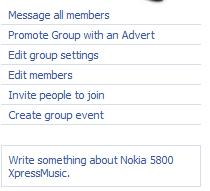
Facebook Groups: After Google and Yahoo!, Facebook too has Facebook Groups, a service which helps you connect and share with the people interested in your website or blog. If you have a Facebook account, creating and running a group is as easy as opening a webpage. Fill the few information like your Group name, the category it belongs to and a little description and there you go. You have your Facebook Groups created. Unlike Yahoo! and Google Groups, Facebook Groups is very advanced. You can add links, images, videos in a second with the cool interface it provides. You can set an event, start a discussion. You can even promote your Facebook Group.

You can invite people to join your group. There are plenty of ways provided in the interface to interact with the members of your group. Facebook Groups is the best offerings in terms of interface and functionalities.

How to Setup Google DFP on your Site – A Tutorial

You rely on an ad network like Google AdSense for serving ads but do you also accept direct advertising on your website? Or have you signed up with multiple ad-networks but, due to limited ad space on your site, will only like to run ads from the network that pays you the most money (read maximum CPM)?
google dfpIf you just said yes, Google DFP (DoubleClick for Publishers) could be an ideal solution for you. It is a free ad server from Google that lets you sell ad space on your website.
You may choose to run banner ads, text ads or even rich-media (like video and flash ads) through DFP. The tool, which was formerly known as Google Ad Manager, requires no downloads or installation and any website publisher can sign-up for the DFP program as long as they have an active Google AdSense account.

Sell Your Advertising Space with Google DFP

Say you have a news website (or a blog) where you cover topics such as technology, sports, entertainment and so on. An advertiser wants to serve banner ad campaigns on all your tech related pages. He will pay $20 CPM for all US based impressions and you can fill your remnant inventory through Google AdSense ads.
Let’s see how we can easily setup such an ad campaign through Google DFP.
Step 1: Create Ad Units
We need to tell DFP about the advertising space on our web pages. For instance, in our above example, we’ll have to create three ad slots for the 300x250 rectangle, the 160x600 skyscraper and the 468x60 banner. These are standard IAB units though you are free to define custom ad sizes as well.
Go to DFP –> Inventory –> Ad Units –> New Ad Unit. Give your ad unit a descriptive name so that you can easily determine where exactly that ad unit will be displayed and it’s size. Also check the option “Maximize revenue of unsold and remnant inventory with AdSense.”
new_ad_unit
Step 2: Define Placements
You have multiple ad units on the same page and there’s a possibility that an advertiser may want to place ads on more than one unit. Therefore, we need to create a placement which is like a group of one or more ad units where an advertiser’s ad can be displayed.
Go to Inventory tab –> Placements –> New Placement and define the placement. To keep things simple, we will associate only one ad unit (the 300x250 one) with our ad placement. Check the option that says “Offer this placement to advertisers” through AdWords and DoubleClick Ad planner to attract more advertisers.
placement
Step 3. Create an Order
Now that we have defined our ad inventory, it’s time to feed in the client’s order. The advertiser will specify where he wants to place the ad, what kind of demographics he wants to target, what’s the price he is willing to pay and how long will the campaign run on our site.
Go to DFP –> Orders –> New Order. Create a company for the advertiser and then fill in the order details under “new line item.” Set the Type to “Price Priority” if you want the highest paying ads to be served on your site. Set Value CPM equal to the price that the client will pay and then add the targeting criteria.
ad_target
Step 4. Upload the Ad Creative
It’s time for your to upload the “actual ad” that will display on your web pages. You can either upload images, Flash videos or even snippets of HTML and JavaScript in case you’re going with text ads.
Go to DFP –> Line Items and select the “Line Item” that you’ve created in the previous step. Click Add Creatives –> New Creative and upload the image / SWF Flash file. You can even upload multiple creative ads per line item and they’ll display evenly across that site – this helps you determine an appropriate ad copy that performs best with your visitors.
upload_creative
Step 5. Get the Ad Tags for your Site
We are almost done. All we need to do is get the JavaScript code from Google Ad Manager DFP and copy-paste it into our blog’s template.
Click the Inventory tab in your DFP dashboard and choose “Generate Ad Tags” – select the appropriate ad unit (the one that we created in Step #1) and choose “Generate Tags.”  Add this code to your website and within 10-15 minutes, the DFP tool should start serving ads on your pages.
Here’s a narration-less screencast that captures all the above steps in a quick video.

If you ever have trouble serving ads through DFP , just open any page of your website, add ?google_debug to the URL and reload. This will generate a tracing log that should help you debug the problem, if any.

How to Capture Videos of Google Earth

, Videos
This is a short video animation captured using the free version of Google Earth.
The video in high-resolution (720p HD) and the animation plays very smoothly but before I share the actual software that I used to record this movie clip, please read the guidelines for using content from Google Earth and Google Maps:
[Offline use] If your proposed offline use of Google Maps or Google Earth is limited in scope, the concept of ‘fair use’ may apply
[Online use] You do not need permission to create and display video created from Google Maps or Google Earth in a video, whether hosted on your own site or through a service such as YouTube. You must purchase a copy of Google Earth Pro if exporting motion video, because screen capturing is not allowed.
If your usage meets the ‘fair use’ criteria, you can use the free Wegame client to record movies of Google Earth on your Windows machine. Wegame, a popular tool for recording video games, was recently updated and it now supports full-screen recording at 30 frames-per-second for smooth video.
Unlike most other screencasting software where you just hit the Record hotkey to start recording, it may take a couple of tries for you to get comfortable with the Wegame capture process.

Difference between Google Chrome OS and Chromium OS

image
Google Chrome OS is to Chromium OS what Google Chrome browser is to Chromium.
Chromium OS is the open source project, used primarily by developers, with code that is available for anyone to checkout, modify and build their own version with. Meanwhile, Google Chrome OS is the Google product that OEMs will ship on Netbooks next year.
Therefore Chromium OS is the source code released by Google which can be used by any developers to build and create their own OS. Chrome OS is a end product that will be released by Google and developed from this Chromium OS as the base.

Movies time table in Google

Gone are the days when you need to ask people, read newspapers, look for posters etc to get to know which movies are screened in theatres in your area. If you want to know which movies are being screened in your area then you are just a click away. Yes Google is now providing this free service. Just goto http://google.com/movies .
By right, Google will guess your location using your IP address and show the movies in your area. However you can use the left pane to change the location to view movies in a particular city and country.
You can try any big or small city, you will be surprised to see the list of theatre names. movies and times in which these movies are screened. Isn’t this wonderful?

Now Enjoy Bollywood Songs through Google Music

While you can find and listen to almost any Hindi movie song or music album on YouTube, there’s now a better way.
Hindi Music on Google
Google India, in partnership with In.com and Saavn.com, today launched an online music portal at google.co.in/music where you can search and listen to songs from Bollywood movies as well as music albums.
Google doesn’t host any of the music but streams it directly from partner sites.
It’s a pretty vast collection of both old and new songs and you can further limit your search by the song title, movie name, artist or by the name of actors who were part of the movie. Alternatively, you may use a query like “new songs” to find all the latest music sorted by release date.
You do however need to have the Flash Player in your browser to play the streaming music and it might therefore not work on most mobile browsers. That’s one area where competing sites like Dhingana are still at an advantage.
Google Music India is a labs product and, at the time of writing, it only offered Hindi songs from movies. Also, you cannot create playlists on Google Music but I think all this will change once the product matures.

The new Google Search Appliance—a bridge to the cloud

In the last year, businesses have started using cloud-based applications from Google and other technology providers at an accelerated rate. While many organizations still have information that resides in on-premise systems, more and more important business information today is living in the cloud, in collaborative tools like Google Apps—now used by more than 3 million businesses—and services like Twitter. Starting today, Cloud Connect for the Google Search Appliance lets workers search across both on-premise and cloud-based content from a single search box, delivering more comprehensive results and improving productivity. We’ve also added a few other handy features that make it easier to collaborate and find information faster.
Cloud Connect for the Google Search Appliance
Cloud Connect displays relevant, personalized results from Google Docs and Google Sites alongside results from more traditional repositories, like file shares and content management systems. Easier access to collaborative documents, spreadsheets, presentations and sites with Cloud Connect speeds up how quickly coworkers can complete projects. Cloud Connect also lets users search content from Twitter, as well as blogs and industry websites via Google Site Search.
For organizations such as Delta Hotels and Avago that have already deployed both Google Apps and the Google Search Appliance, the Cloud Connect feature brings “universal search” to a new level, with more accessible business systems and content now spanning from cloud to ground.

People Search
This new version also helps foster faster collaboration between employees with the addition of People Search, which makes it easy to find experts and contact coworkers who are related to a search query, right from the search results page. For example, a search for “field marketing” would return a list of field marketing team members alongside other relevant content. Organizations can index personnel information like department, interests, expertise and location, and there’s an LDAP connector to help get People Search up and running quickly. Dynamic Navigation and more
Our new Dynamic Navigation feature allows users to drill down into search results based on search modifiers for their queries, and Active-Active Mirroring improves reliability by spreading search traffic across multiple boxes. Dynamic Navigation was a top user request and we’re glad to be able to add it. In addition, the Search Appliance now supports Microsoft Sharepoint 2010 content without the need for additional connectors.
As you move your business to the cloud, the Google Search Appliance’s new features can be an important bridge between on-premise and cloud-based systems, while enhancing employee collaboration. You can learn more about this latest release at www.google.com/gsa.

Display Google Analytics Stats On Your Website

Some websites may like to make their traffic stats public so that both visitors as well as advertisers can gain more insights into the traffic patterns of that site.
Google Analytics, a free and unlimited web stats service, doesn’t offer public reports like Sitemeter or StatCounter. That means if you were to share your traffic details with another person, you’ll have to add him as a user to your Google Analytics account.
google analytics reports - public
Since that’s not a very practical solution, there’s a new service called SeeTheStats that will easily solve your problem.
Make your Google Analytics Reports “Public”
To get started, you simply need to authorize SeeTheStats to access your Google Account and then choose a profile of the website for which you want to make the data public. Then, with the magic of Google Analytics API, the service pulls your Analytics data and generate Flash-based charts (or JPG images) that you may embed as widgets on your website.
You may choose to display your website page-views, unique visitors, the time they spend on your pages, which countries they are coming from and almost every other metric that’s available in Google Analytics.
Here are some sample sites that have chosen to make their Google Analytics stats public via SeeTheStats.com.
The service will automatically update your traffic charts based on your current statistics. If you ever want to block SeeTheStats from further access to your Google Analytics data, you may simply delete the authorization access from your Google Accounts settings page.

Google Experimenting with Images on its Homepage

Google is known for keeping the design of their popular homepage relatively simple with just a search box but they now seem to be testing a very different variation, one that features an image gallery of popular search phrases.
These images, arranged in the form of a rotating carousel, are linked directly to the corresponding search results pages similar to Google Doodles. I recently ran into this experiment on the Google India (Hindi) homepage though it was a pretty brief encounter.
Screenshot
google india homepage


Shortcuts in Google Search

Have you ever wondered how to search Google for terms inside a specific website? Or find how many sites link to yours? Below is a list of common advanced search techniques with descriptions and examples:
Search for an exact phrase
"exact phrase to search"
Will return only results with the exact phrase.
Search within one website
site:www.website.com "search phrase"
This example searches through www.website.com for the phrase “search phrase”.
Search for link to a specific website
link:www.website.com
Will return all the websites that have a link to www.website.com.
Exclude words or phrases from search results
search phrase -excluded
Searches for the phrase but will only return results excluding the text after the minus sign.
View a cached version of a web page
cache:www.website.com
View a cached version of www.website.com
Search for a specific type of file
google ebook filetype:pdf
Searches for only PDF files containing ‘google ebook’
Search for phrase only in websites’ title tag
allintitle:"google articles"
Searches for web pages with “google articles” in the title tag.
Search for keyword only in website’s URL
inurl:googlearticles
Searches for pages with ‘googlearticles’ in the URL, including the domain name and subdomain or page names.
These are a great way to quickly search from Google’s home page, without having to click over to the advanced search.

Google vs. Twitter? Or Google Plus Twitter?

Google vs. Twitter? Or Google Plus Twitter?
Twitter's now playing the ad game much like Google, and today Google announced a new way to search tweets that beats Twitter's own search bar. Are these two companies on a collision course to become hated rivals soon? Or does the future hold a more cooperative relationship between the two -- one of partnership, or even acquisition?
Google (Nasdaq: GOOG) isn't the only entity taking an interest in Twitter's tweets. That most venerable of government institutions, the Library of Congress, announced Wednesday it will archive every single "what's happening?" update broadcast on the short message service since it opened for business in 2006.
Granted, Twitter cofounder Jack Dorsey's first-ever tweet -- "just setting up my twttr" -- probably isn't going to rank up there with "what hath God wrought?" But it's Exhibit T in the case for Twitter having evolved from beyond the Web 2.0 fad-of-the-month club into a serious, grown-up business.
Why else would Google announce, also on Wednesday, that it was expanding its own use of Twitter by allowing searches of archival tweets? Now users can hunt for tweets on a timeline and track the conversations in the Twitterverse as they happened on days of major breaking news stories, such as the Haiti earthquake or the announcement that Supreme Court Justice John Paul Stevens was retiring. Right now you can only search as far back as Feb. 11, but soon Google will allow you to check on the top tweets of the day going back to that first Dorsey tweet on March 21, 2006.
All of this happens one day after Twitter finally unveiled the beginnings of a revenue model with Promoted Tweets, its own twist on Google's paid searches. It has expanded its general search capabilities over the past year. Meanwhile, down the road from San Francisco, in Mountain View, it was just a couple of months ago that Google tried to get deeper into the short-message space with Google Buzz -- which so far has landed with a resounding thud among the social media crowd.
Clearly, each company has recently tried to lift pages from the other's playbook. Should that raise renewed questions of a buyout? Or should tech observers start thinking about some kind of new, unique partnership?
"Both companies envy each other. Twitter would like to be a search engine and Google would like to be a social network," said Paul Gillin, blogger, social media consultant and author of The New Influencers. "It makes sense for them to be together at some point."

Ready for Twoogle?

It wasn't that long ago that Google was rumored to be in the running for buying Twitter, much like Facebook was supposedly in play during its recent past. However, like Facebook, Twitter decided to remain independent and focus on providing as much value as possible for its users before considering monetization strategies.
Both companies may do the search thing, but there the similarities end, according to Heidi Miller, chief conversation officer for Spoken Communications in Seattle. "I go to Google for down and dirty searches -- did I quote somebody correctly, that kind of thing," Miller told the E-Commerce Times. "When I'm doing a Twitter search, I want to get a feel of the conversation" about a particular topic. Yet with Twitter's Promoted Tweets, which necessitate interaction with the user if they want to remain a Promoted Tweet, the short message company may have found an innovative new direction for paid searches. "I have never clicked on a Google ad. I might have once," Miller said. "But with Twitter, I'm actually going to find out the tone of a conversation, and I wonder if it might be more targeted to click on an ad because users are looking for what's going on right now, as opposed to just getting the fact like in a Google search."
Twitter's phenomenal growth -- from 5,000 tweets a day to 50 million -- has forced the company's founders to not just look to Google for ideas on managing that growth, but also its customers.
"They never thought that search would be a function -- it's like many examples of things they didn't know they needed to do," Sree Sreenivasan, dean of students and professor at Columbia Journalism School told the E-Commerce Times. "The community came up around them and helped push and direct them. It's the story of a lot of businesses. They take their cues from the community and learn and find their way."

The Future for Both Companies

Twitter will likely remain an acquisition target -- possibly by Google -- but continued success Free Report - Discover the Difference of Email Marketing 2.0! will keep pushing that timeline back into the distance, said Greg Sterling, principal at Sterling Market Intelligence and contributing editor at SearchEngineLand. "The two companies are not quite partners but not direct rivals either," Sterling told the E-Commerce Times. "Google Buzz has fallen flat for the most part, so it's no danger to Twitter. But Twitter's Promoted Tweets is equally unlikely to compete with Google AdWords."
What of Google's ability to search tweets, compared to Twitter's own search methods? "Yes, it's better than anything than Twitter itself offers, but that's broadly consistent with the way Twitter has historically worked with third parties that often do things better than Twitter itself -- witness Summize and Tweetie, both of which Twitter acquired."
It's still surprising that Google and Twitter weren't able to do a deal for an acquisition, Gillin said, despite Twitter's founders' fierce desire to go it alone for now. "Could the two companies still wind up together? Absolutely. Google would be a natural acquirer for Twitter. I don't think there's necessarily any hard feelings between the two. They have a common enemy in Facebook. Google plus Twitter would be the undisputed king of Web 2.0," Gillin told the E-Commerce Times


Share

My Blog List

Search

Followers

Technology Copyright © 2009 Blogger Template Designed by Bie Blogger Template