Google Gmail is a very slick, free email product. One Gmail feature that you may not be aware of is that
multiple Google email addresses can be created from
one Gmail account. These bonus email addresses are easy to create and manage and can take a few different forms.
Multiple Google Email Addresses from One Gmail Account
Having
multiple Gmail addresses can provide a
range of uses including easily separating personal and business email and tracking incoming email from specific subscriptions and mailing list. There are
three main methods for expanding the number of usable
Google email addresses that you can have from a single
Gmail account:
- Using the @googlemail.com domain.
- Using the “dot” or period in your email name.
- Using the plus sign “+” at the end of your name and adding extra characters.
Using the “@googlemail.com” Domain Name
Let’s start with the use of the
@googlemail.com domain name. With every Gmail account you actually get
a second email address – one is the regular @gmail.com address while the second address has @googlemail.com as the domain. So Gmail will actually see
myname@gmail.com as the same as
myname@googlemail.com. All email messages that are sent to
myname@googlemail.com will be delivered to your
myname@gmail.com Gmail account.
Using a Dot or Period in the Email name
Another interesting facet of Gmail addresses is what is sometimes referred to as
“Dot Blindness”. In an interesting twist
Gmail does not recognize dots, ”.”or periods as characters in
Google email address user names. This means that Gmail “sees”
my.name@gmail.com or
myna.me@gmail.com as the same address as
myname@gmail.com. You can also use multiple “dots” in the username such as
my.na.me@gmail.com.
The same “dot blindness” also applies to email addresses using the @googlemail.com domain name with
my.name@googlemail.com or
my.na.me@googlemail.com being routed to the same Inbox as
myname@gmail.com.
Using the Plus Sign and Additional Characters
The third trick for extending the use of your Gmail account is the ability to add extra characters to the end of your username by inserting a plus sign, “+” after your name. Google does not recognize these characters but Gmail search filters do. The characters after the plus sign can be either letters or numbers. So
myname+abcde@gmail.com or
myname+abcde@googlemail.com will end up in the same Inbox as
myname@gmail.com.
Test these out for yourself and see what works best for you. All the variations below are from the same Google email account and will all end up in the
myname@gmail.com Gmail Inbox:
myname@gmail.com
myname@googlemail.com
my.name@gmail.com
my.name@googlemail.com
my.na.me@gmail.com
my.na.me@googlemail.com
myname+abcde@gmail.com
myname+123abc@gmail.com
my.name+abcdefg78@gmail.com
my.name+abcdefg78@googlemail.com
Benefits of Multiple Google Email Address from One Gmail Account
So you say, “OK, these
Google email address tips are interesting, but what would I use all these variations for”? One use is to track where mail is coming from. When you sign up for a newsletter subscription or mailing list you can create a specific email address by using the plus sign and some specific characters or “dot” pattern. You can then track incoming email based on the specific email name that you created.
For example, you sign up for a subscription to a newsletter using
my.name+456news@gmail.com and then in addition to the newsletter you signed up for you start receiving email from a number of other different sources to that specific address. This could indicate that the specific mailing list might have been compromised or even sold.
Another use of these address variations is for sorting out spam or unwanted email from a specific email address. By using Gmail filters you can automatically direct mail to a specific address, such as
myname+666@gmail.com to the spam folder.
Variations on your address can also be used to separate out personal and business messages and automatically identify each with a different label and sorted to a different folder.
Simplified Google Email Address Management
This is a useful tool for addressing a number of different email needs. The benefits of having a centralized email account that can easily process a number of different email addresses without having to go out and set up numerous new accounts with additional usernames and passwords can be a real plus. And they are all managed from a single account. Kind of reminds of the J.R.R. Tolkien verse: “One ring to Rule Them all, One Ring to find them.”


 Gmail was officially announced by google on 1 april 2004 i.e on the april fool’s day.It is more popular then one of the oldest Email service provider AOL. Gmail has been popular amongst users because it provides almost unlimited storage capacity for emails and also due to its good spam filter.Now a days everybody has more than one Email accounts.I personally have 10+ email accounts of yahoo,Gmail,Hotmail,Aol and it is difficult to manage all of them.So now I have configured all of them to my Gmail account and now I can check and send email’s of all email accounts from my single Gmail account and it had really made my life easy.


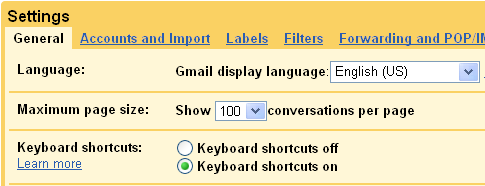
 Gmail keyboard shortcuts are a great way to increase your computing performance. These small combinations of keystrokes within